The office
The office for a home inspection business, in any browser.
Everything the phone captures is in the office a moment later. From there you review and publish reports, keep track of clients and agents, send invoices, and see how the business is doing. It runs in any browser, at the desk or on the road, with nothing to install.
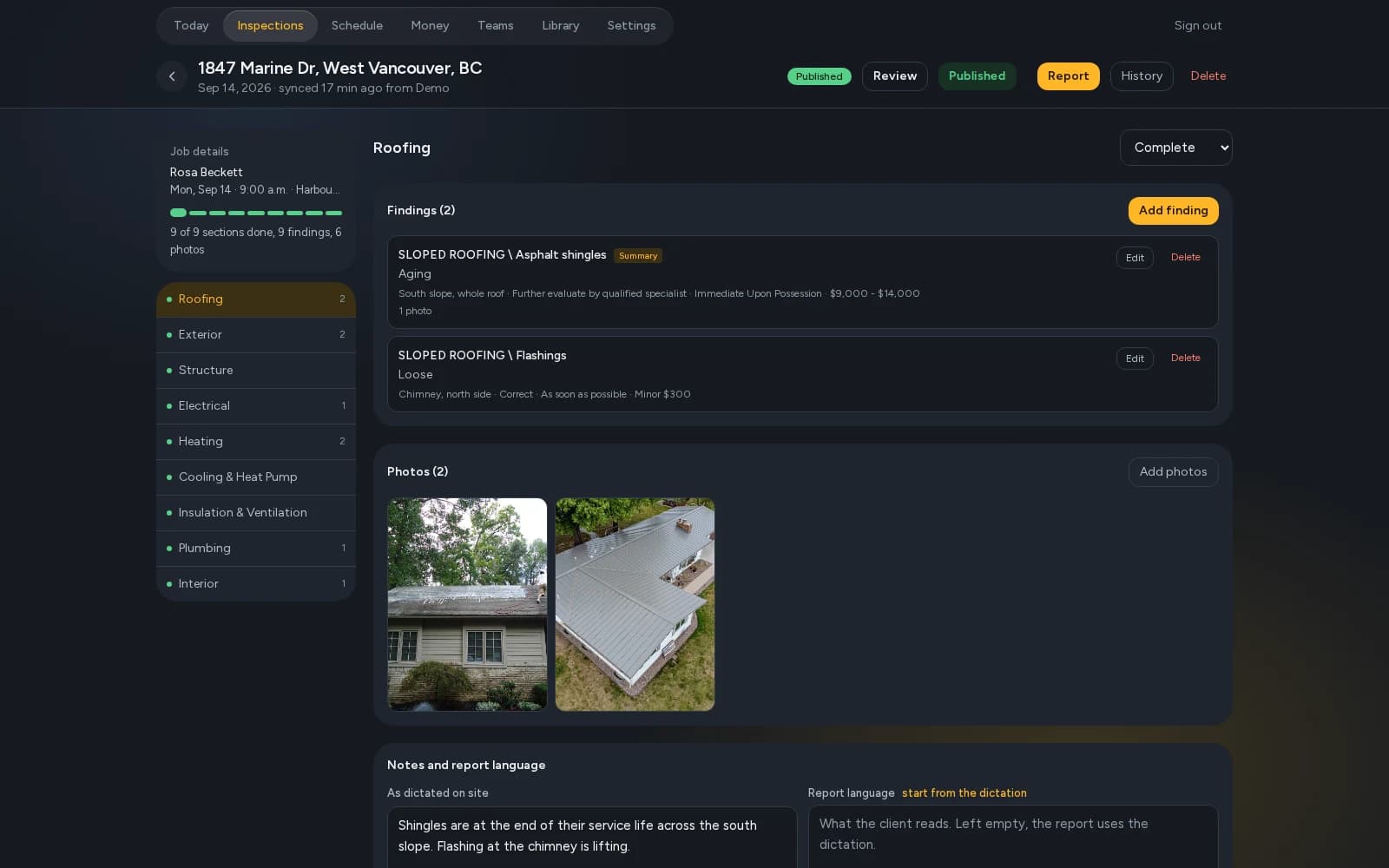
Review the report at a desk
The office edits everything the phone edits, with a full keyboard and a big screen: findings, Descriptions, limitations, photo markup. The office keeps a version history, and its edits go back to the phone.
“Before you publish” runs the same check as the phone's Finish page, so a missing photo or an empty Task is caught before the client sees it.
Publish with a client link
Publish and the client gets an email with their link: the report in a browser, photos and all, with the PDF to download and a repair request they can build from the findings. Send shorter versions too, such as the summary only, each with its own link. Edit after publishing and the link shows the change.
Clients, agents and email
Contacts keep every client and agent once, with their history and notes, and agents are ranked by the work they send you. The office sends your emails under your company's name: booking confirmations, report delivery, invoices and reminders. Replies come to you.
Invoices and analytics
Each inspection has its invoice. Send it, and record the payment when it comes in by e-Transfer, cheque or cash. Analytics shows the money and the work across the company.
Your team and your data
Roles decide who sees and changes what. Two-factor sign-in protects every account, a new device needs a code before it gets in, and a lost phone can be cut off from the office. Settings → Export gives you spreadsheets and your report PDFs by year whenever you want them.
For a firm with several inspectors, Teams adds a team room and lead tracking.
Questions.
Do I need to install anything for the office?
No. The office runs in any browser at vistoria.report. The app is for the phone or tablet.
Can I export my data?
Yes. Settings → Export in the office gives you spreadsheets and your report PDFs by year.
Where does my client data live?
On your phone and in your company's office, which only your accounts can open. Photos are served only to someone signed in, or to the client holding their report's link. Data is encrypted and kept separate from every other company's.
Does it work for a firm with several inspectors?
Yes. Each inspector signs in on their own phone, and roles decide what each person can see and change. The Teams add-on adds the team room and lead tracking.
Read next.
Vistoria is in open beta on real inspections. Book a 15-minute call with one of the people who build it.
Book a 15-minute call