The inspection app
A home inspection app that keeps up with the walk.
Vistoria is a home inspection app for Android, iPhone and iPad. You walk the house in your own order, shoot without stopping, sort the photos into findings, and send the PDF before you leave the driveway. The whole walk works with no signal.
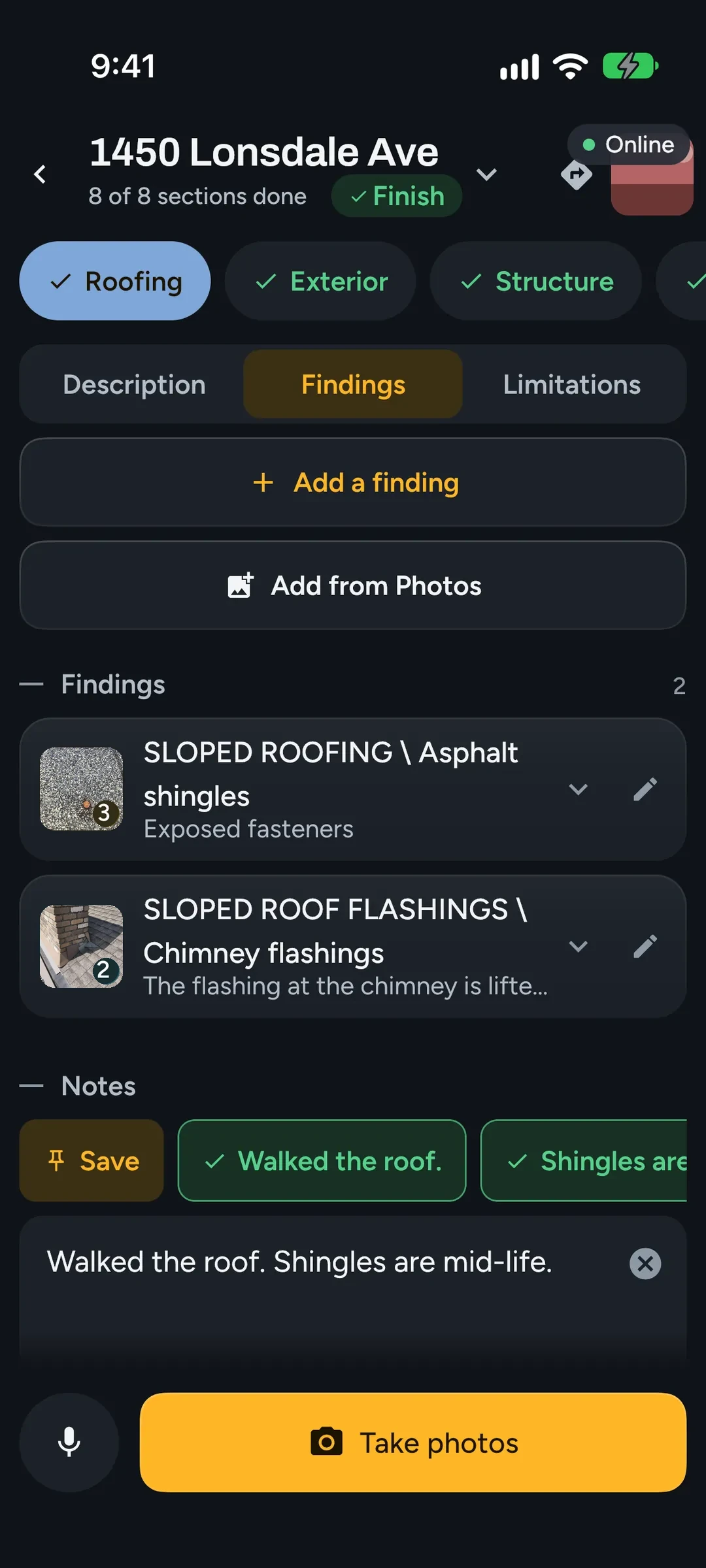
Sections as tabs, in the order you walk
An inspection opens on its sections as tabs: Roofing, Exterior, Structure, Electrical, Heating, Cooling & Heat Pump, Insulation & Ventilation, Plumbing and Interior. Put them in the order you walk a house and the app keeps that order on every inspection.
The report keeps its own order, so your clients always read the sections in the same place.
Shoot first, sort later
The shutter never stops to ask where a photo goes. Each shot files itself into the section you are standing in. When you are ready, pick a few photos and make a finding from them, or add them to one you already wrote.
Photos you never put in a finding stay with the inspection and out of the report. The camera takes photos, video clips up to a minute, and live thermal with a FLIR ONE connected.
Findings in the report's own shape
A finding is written as a CATEGORY \ Component record with Condition, Implication(s), Location, Task and Time. Task and Time are pick-lists, and the conditions come from your company's library, so most findings take a few taps. Dictation fills in the rest.
Photos can be marked up with arrows, circles, freehand lines and text. The marks stay editable and the original photo is kept.
Built for basements and crawlspaces
The camera, the finding editor, search, dictation and the PDF all run on the phone. Everything you capture is saved to the phone as you go, so a crash loses nothing. When there is a connection, the inspection syncs to your office by itself.
Phones and tablets
One app runs on Android phones and tablets (Android 8 and up, 64-bit) and on iPhone and iPad (iOS and iPadOS 17 or later). On a tablet the layout uses the width: the report and its photos sit side by side.
The iPhone and iPad app is on the App Store, and on Android the app updates from the office. It is coming to Google Play.
A check before you leave
The Finish page lists what is still missing: sections not marked done, findings without a Condition, Task or Time, findings without a photo, an agreement nobody has signed. A limitations run-through goes through each section's limitations in your walking order. The office runs the same check before a report is published.
Questions.
Does the inspection app work without a signal?
Yes. The camera, photo markup, the finding editor, finding search, dictation and the PDF export all run on the phone. Only the sync to your office needs a connection, and it catches up by itself when you have one.
Which phones and tablets does it run on?
Android 8.0 or newer (64-bit), and iPhone and iPad on iOS or iPadOS 17 or newer. The iPhone and iPad app is on the App Store. Live thermal needs Android 13 or newer, or an iPhone or iPad.
What happens if the app crashes mid-inspection?
Nothing is lost. Everything you capture is written to the phone's storage as you go, and it is all there when the app opens again.
Can I change the order of the sections?
Yes. Set your walking order once and every inspection opens with the tabs in that order. The printed report keeps the standard section order.
Read next.
Vistoria is in open beta on real inspections. Book a 15-minute call with one of the people who build it.
Book a 15-minute call