Run the wholebusiness fromone place.
All-in-one home inspection software: one app for the field, one office for the desk.
Pro $51/mofor your first 3 months, then $85
Starter $12/mo + $6 a report for your first 3 months · See pricing

Horizon closes December 15
We move your Horizon work over for free.
Carson Dunlop shuts Horizon down on December 15, 2026. Send us Horizon’s own export files and we import them for you, at no charge, then check what came across with you on a 15-minute call before your first inspection.
Reports your clients will recognise: CATEGORY \ Component records with Condition, Implication(s), Location, Task and Time, coloured section bars, photos two across.
Open beta Sign up before January 1, 2027, choose a plan, and your subscription is 40% off for your first 3 months: Pro is $51 a month, then $85.
- Company Templates.zipbecomesYour library
- CRM Clients and CRM Agents.csvbecomesContacts
- Inspection Bookings.xlsxbecomesPast jobs
- Published Reports Archiveone .zip per yearbecomesOld reports
In Horizon: Profile → Export My Account Data. Each download link lasts 14 days.
One tool for the whole business.
The field and the desk in one product. Pick a part to see it.
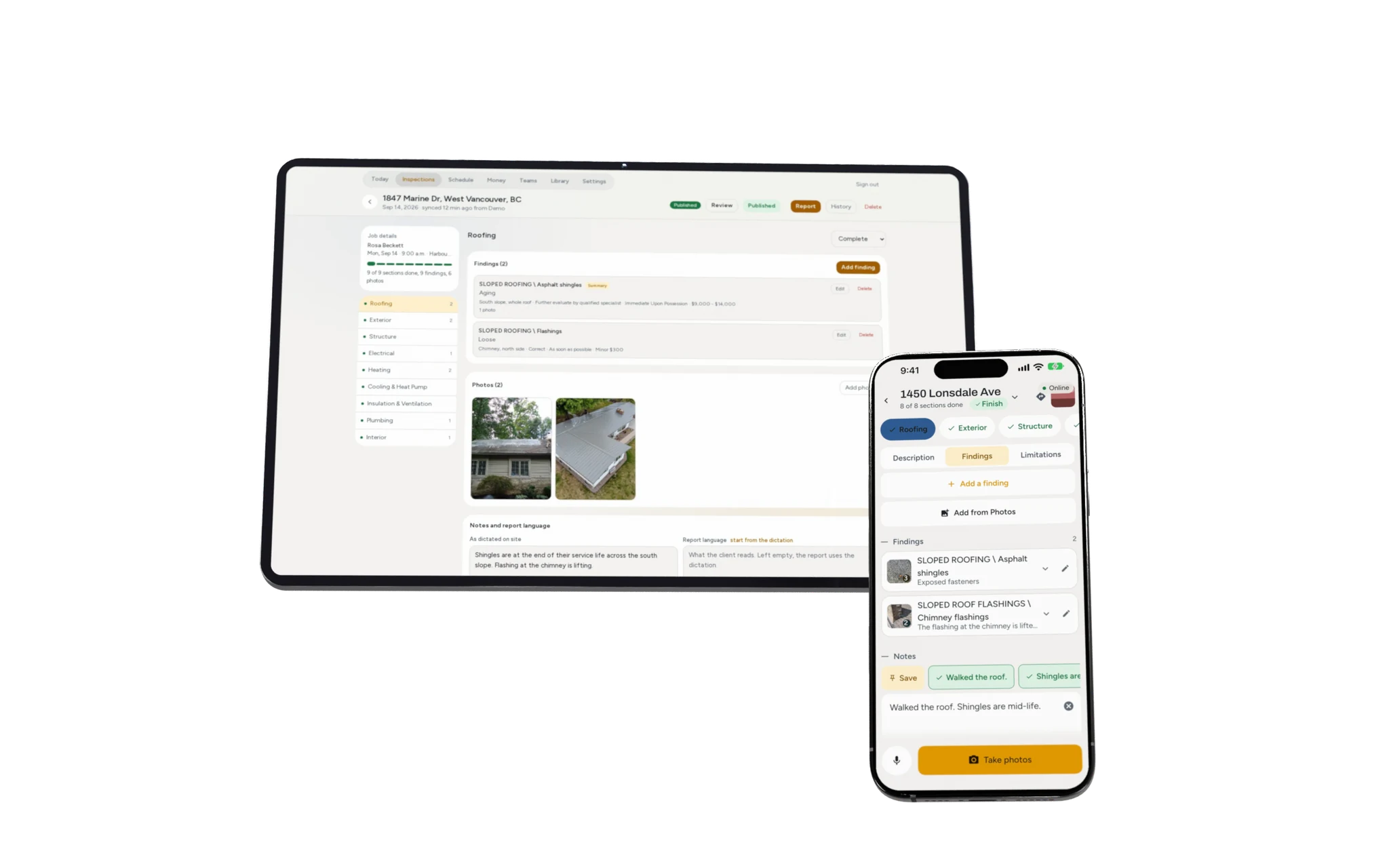
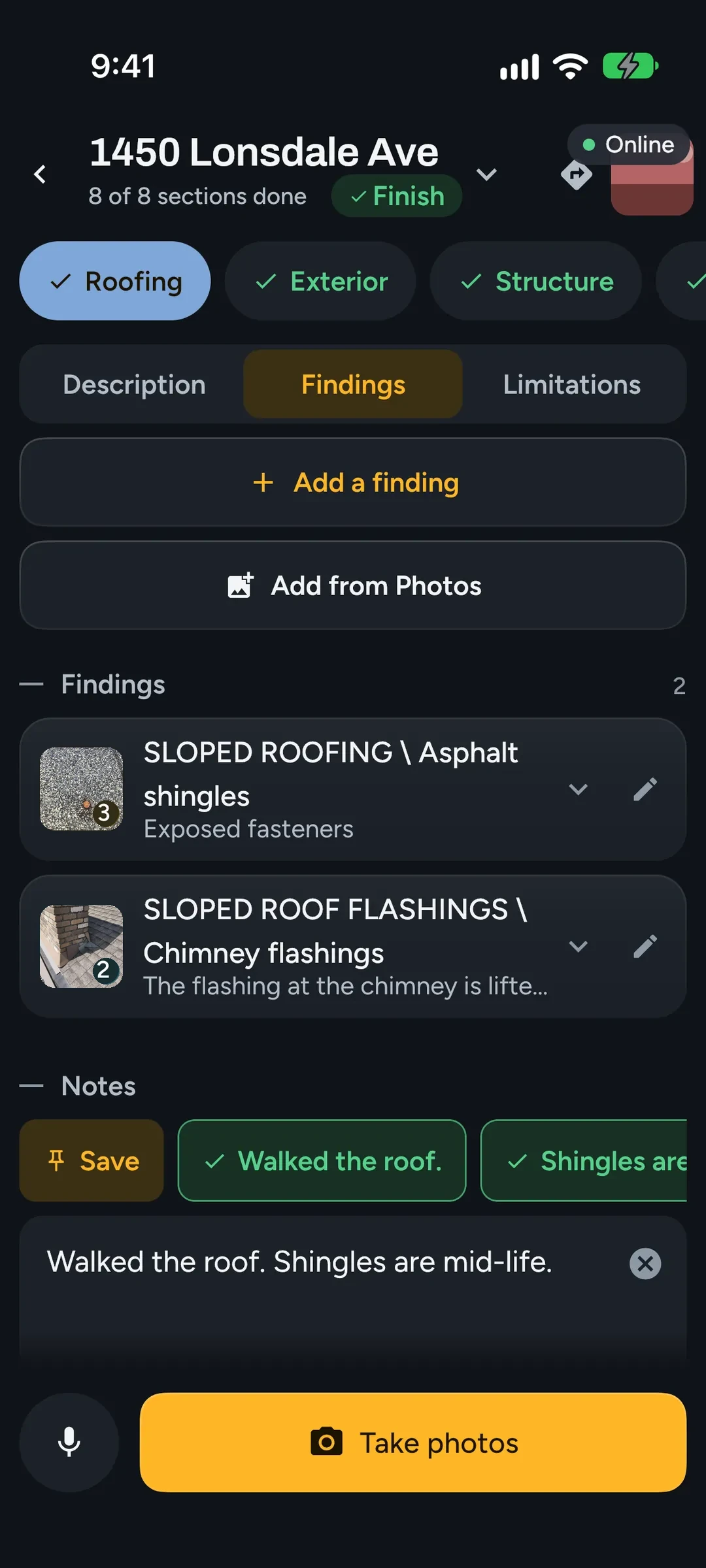
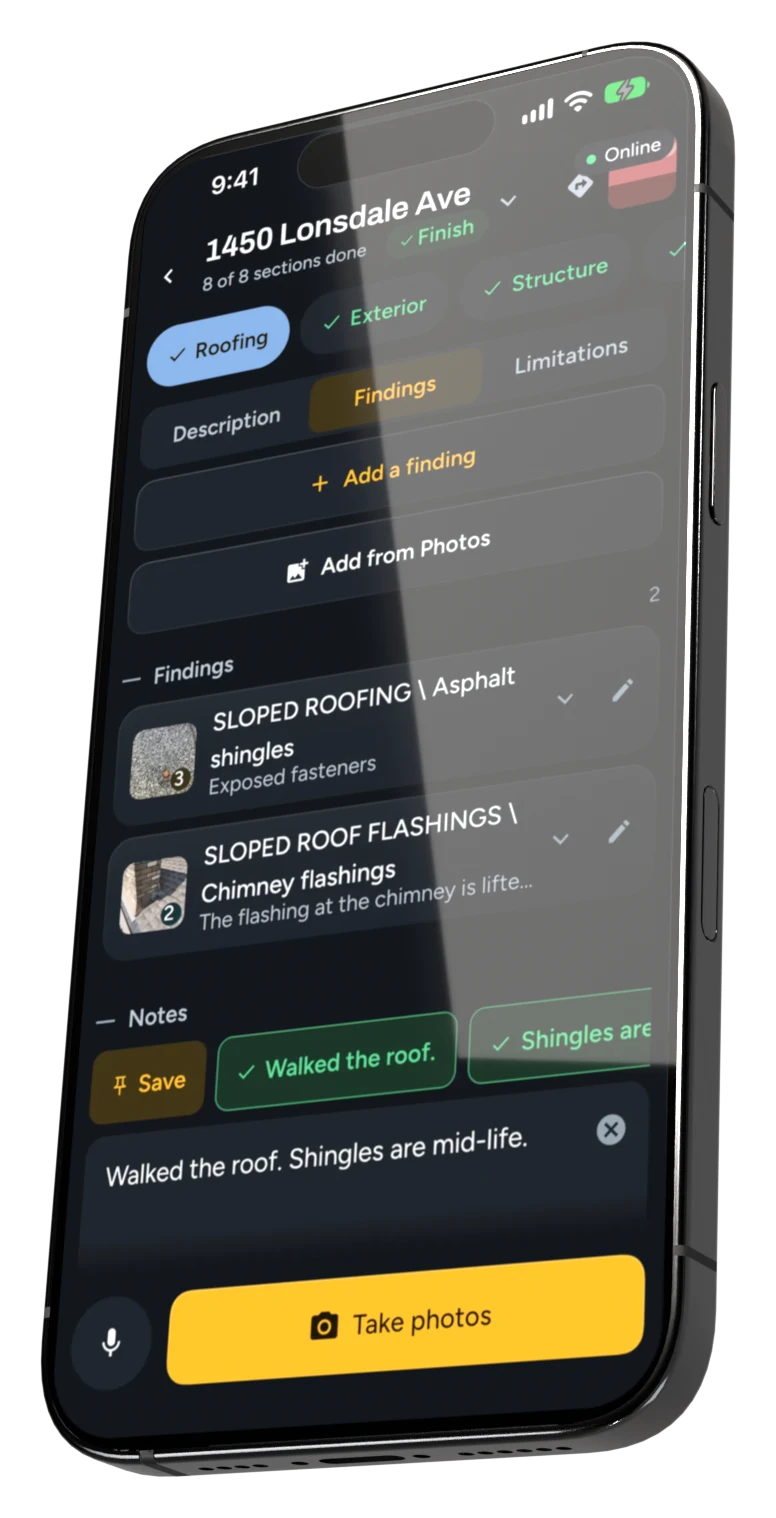
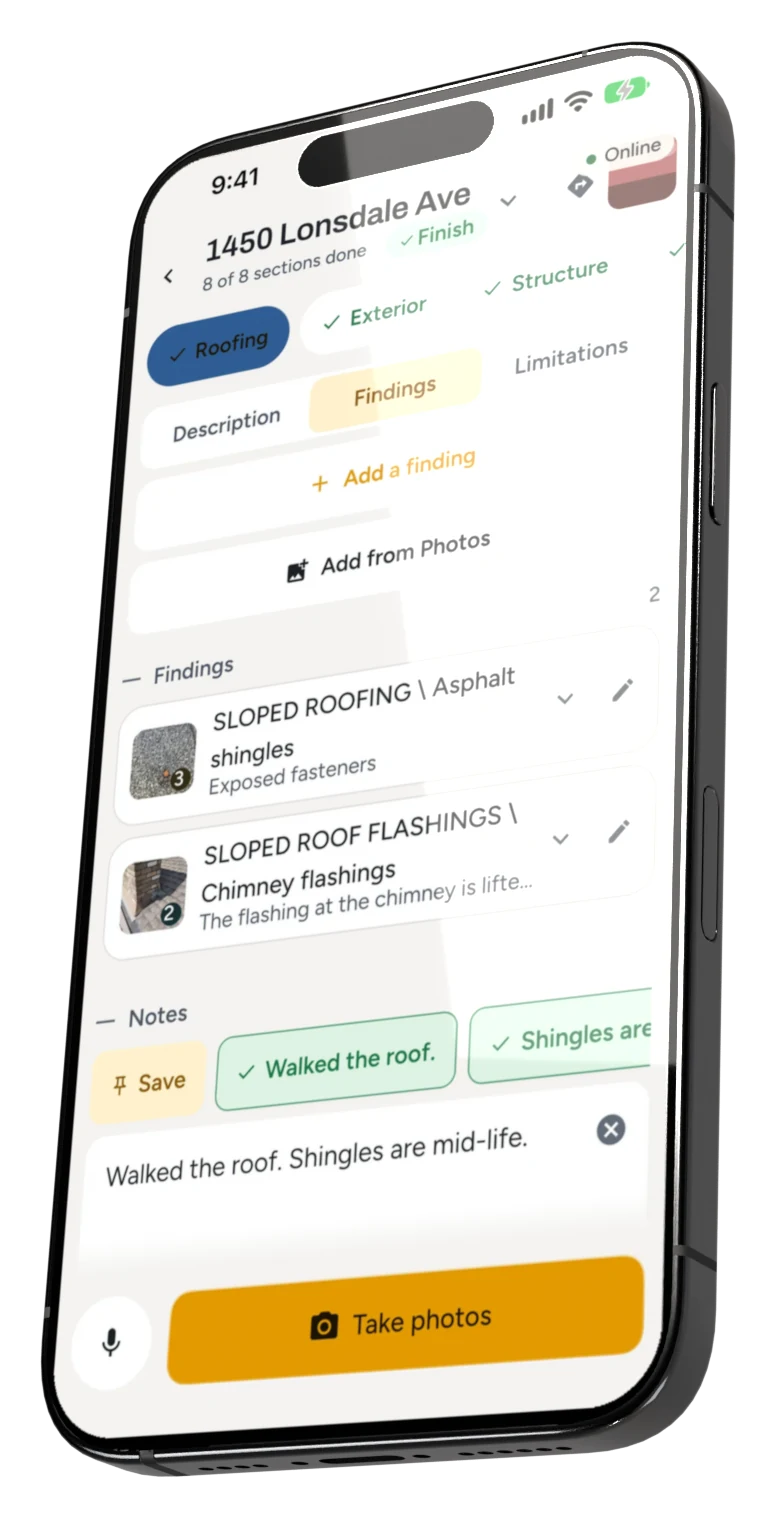
Walk the house in your own order.
Every section is a tab. Shoot as you go, then drag the photos into findings when you have a minute.
- Put the section tabs in the order you walk
- Hold a photo and drag it into a finding or another section
- Dictate notes into the section you're standing in


The inspection ends at four. The report ends at ten.
You already said the finding out loud on site. Vistoria catches it right there, so tonight is a quick check, not a rewrite.
On site you shoot and scribble. The real writing happens at a desk, hours later.
Without Vistoria
- Shoot and scribble
- Drive home
- Retype everything
- Match the photos
- Send it at night
- Done at 10 pm
With Vistoria
- Shoot
- Say the finding
- Export on the phone
- Send it
- Sent before dinner
Built around the order you already walk in.
Your sections, in the order you walk the house. Shoot without stopping, sort later.
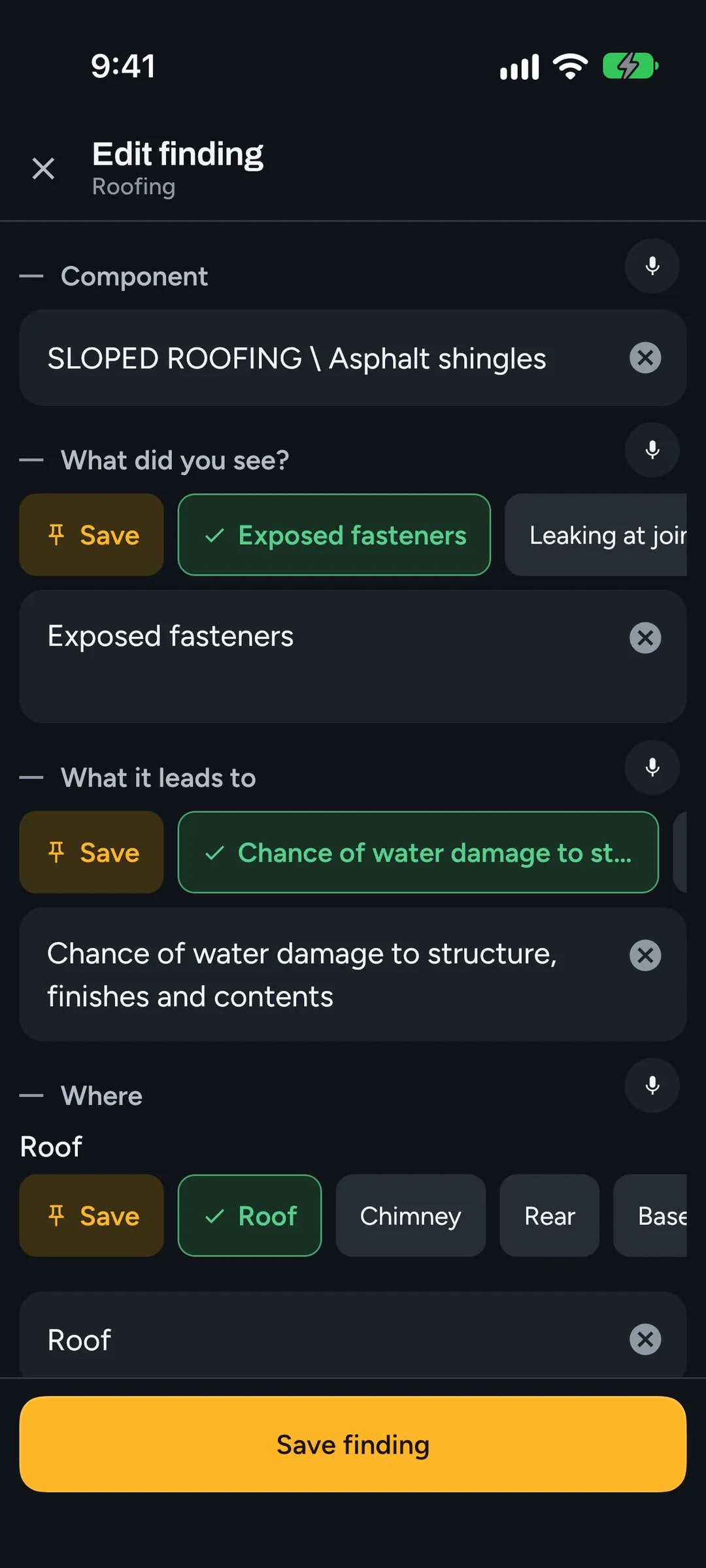
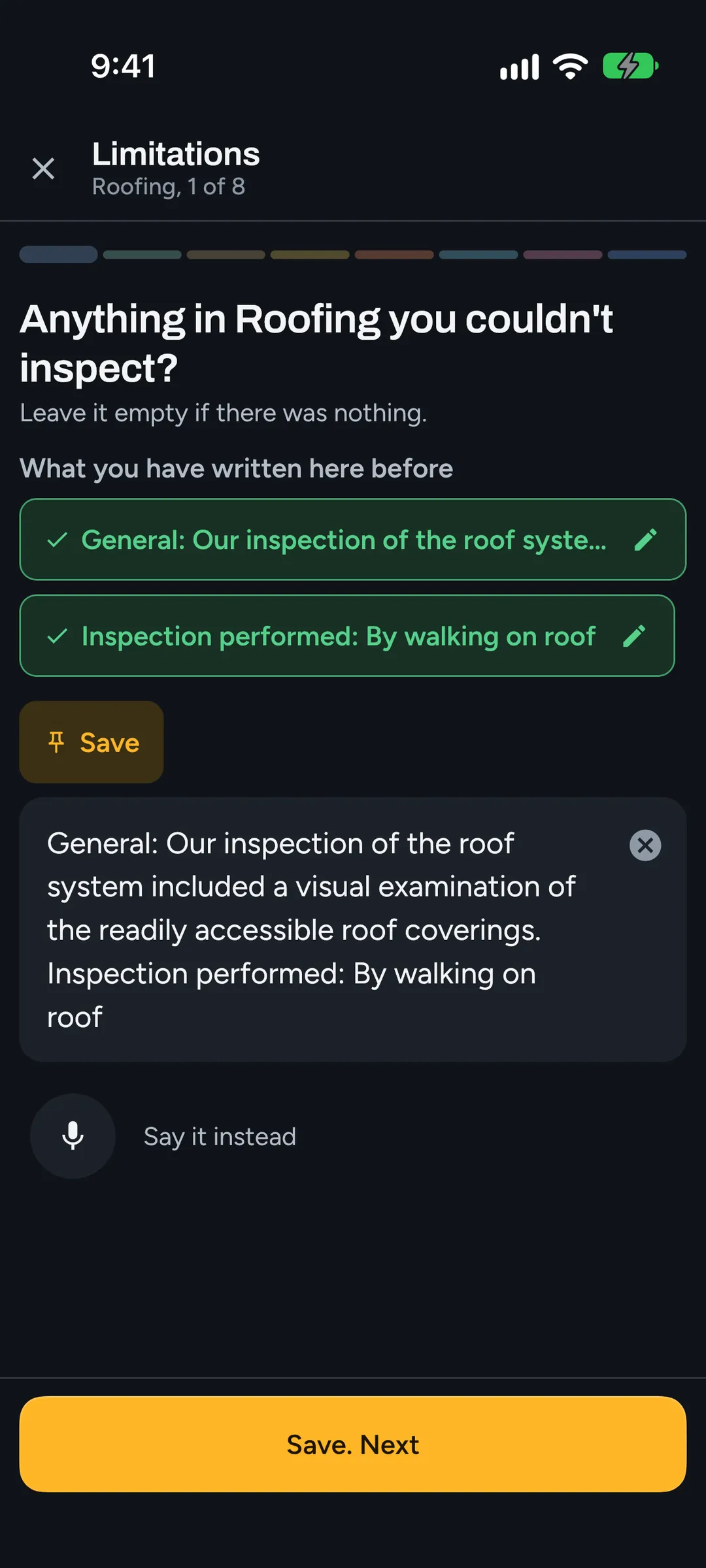
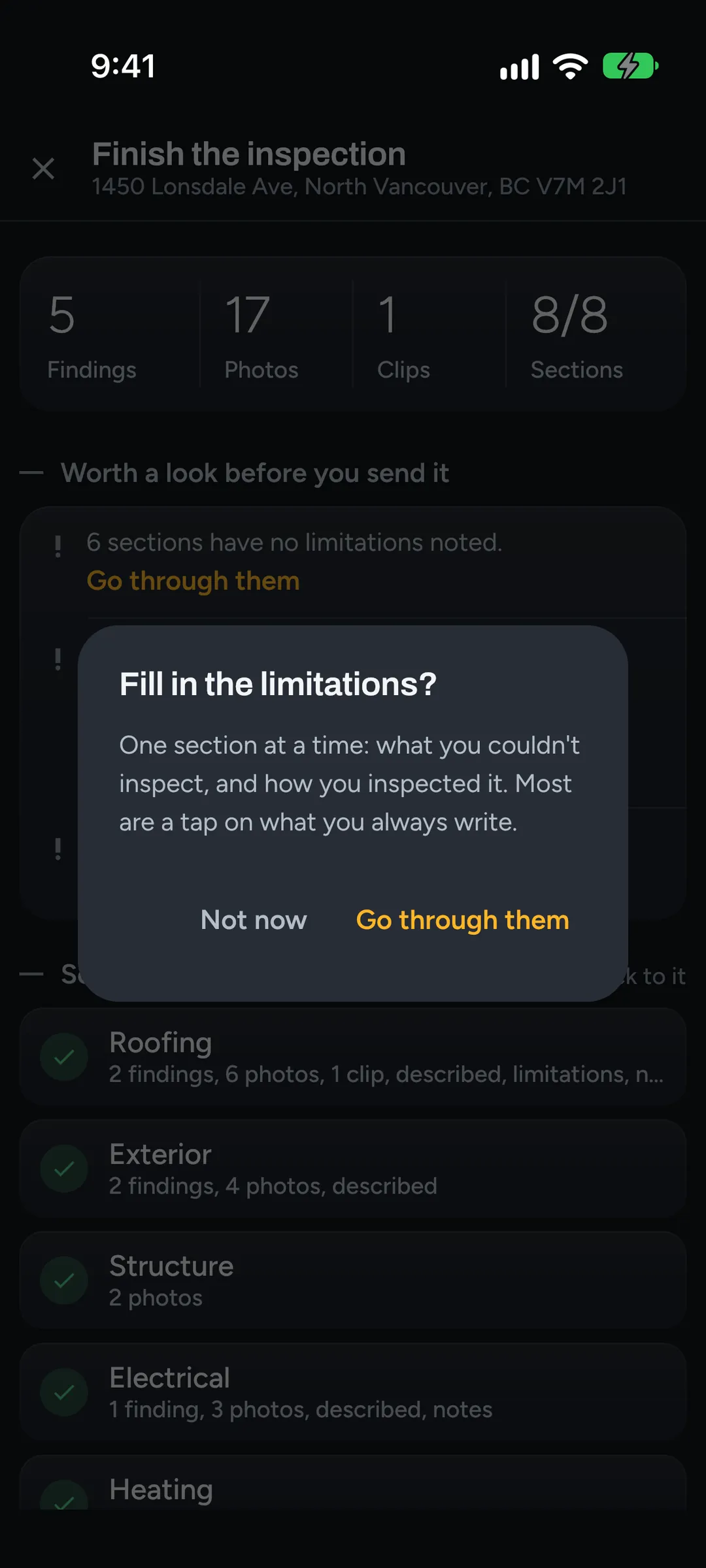
Open
Your sections, in your order
Sections are tabs, in the order you walk the house. Rearrange them any time.
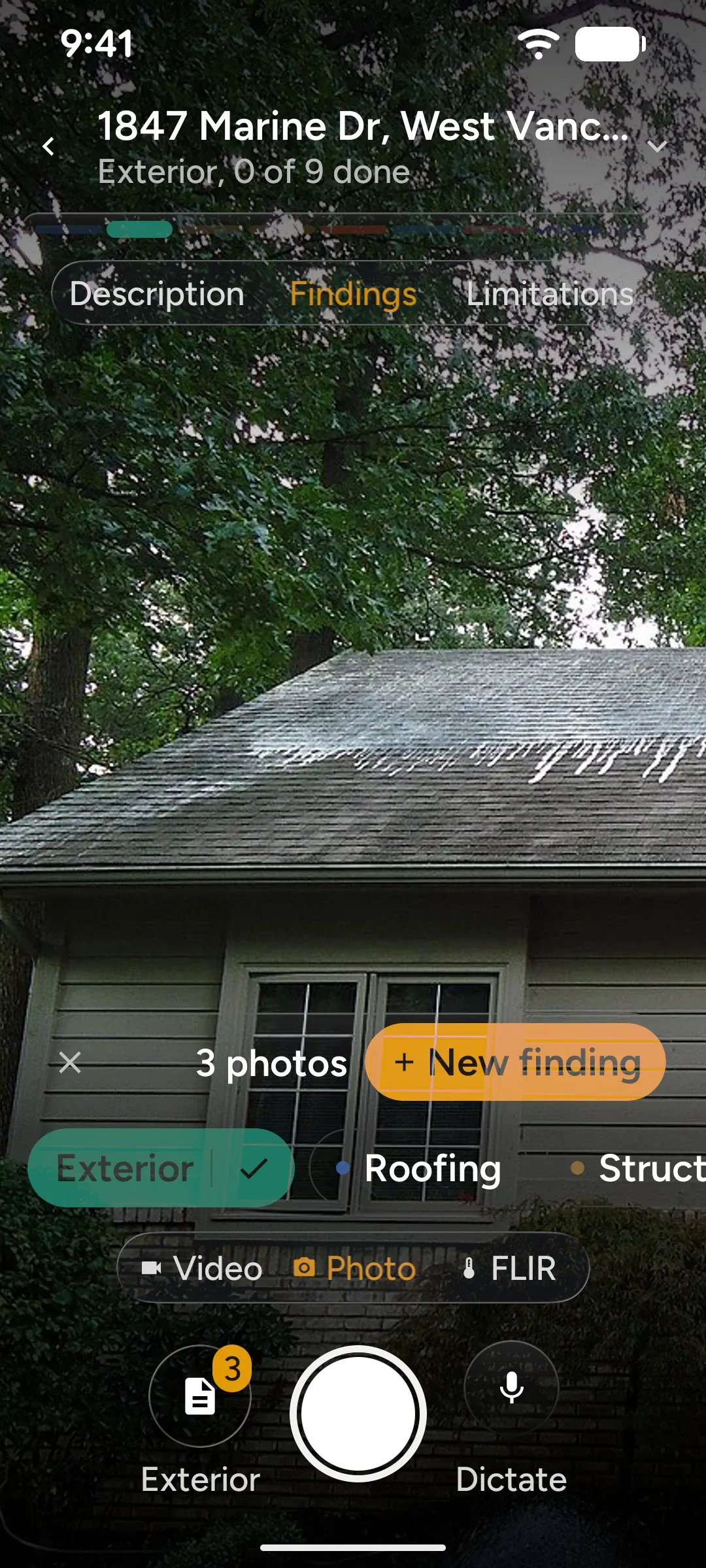
Shoot
The shutter never stops to ask
Every photo files itself into the section you're in. Just keep shooting.
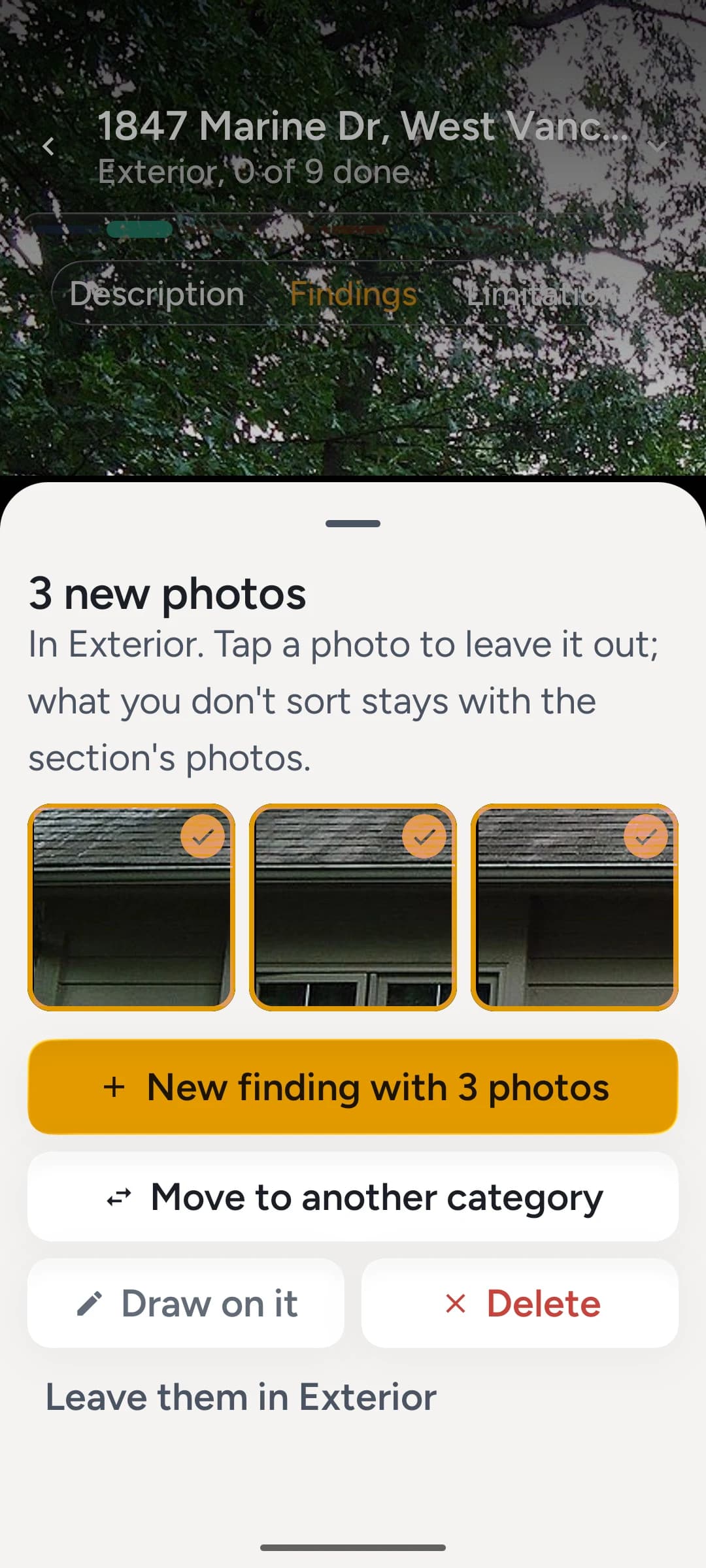
Sort
Turn a batch into a finding
Open the tray, all the photos are already picked. One tap makes the finding.
Write
The finding, in the report's shape
Say it or tap it. Task and time come from your own pick-lists, so most of it is one tap.
Limitations
One section at a time, at the end
Finish a section and the limitations checklist opens itself. Every answer is a tap.
Deliver
The PDF, made on the phone
Export the PDF and send it from the phone. The office already has every section.
Dark and light
Reads in an attic, holds up in the sun.
Dark for crawl spaces, light for bright days. Pick one, or let it follow the phone.
Three plans, from one inspector to a firm.
USD, before tax. Choose your billing, team size and thermal, and the prices update.
Open beta40% off your first 3 months
Sign up before January 1, 2027 and choose a plan: your whole subscription (the plan, extra inspectors and add-ons) is 40% off for your first 3 months, then full price. On Starter, the $20 monthly fee is $12 for your first 3 months; reports are always $6 each.
Vistoria Starter
Was $20$12a month+ $6 for each report
For your first 3 months, then $20 a month. Reports are always $6.Monthly billing only
Everything in Pro for one inspector doing a few jobs a month: a small monthly fee, and a price for each report. At full price, Pro costs less from 11 reports a month.
A report counts once per inspection, when it is first finished, published or downloaded in the office, and is billed at the end of the month. Monthly billing only.
Vistoria Pro
Was $85$51a monthFor your first 3 months, then $85 a monthOr save $120 a year, paid yearly
$85 for one inspector
Pro: $51 a month. For your first 3 months, then $85 a month. Or save $120 a year, paid yearly.
Everything the app and the office do, for the whole job: walked, scheduled, reported, invoiced.
Vistoria Teams
Was $170$102a monthFor your first 3 months, then $170 a monthOr save $240 a year, paid yearly
$170 for three inspectors
Teams: $102 a month. For your first 3 months, then $170 a month. Or save $240 a year, paid yearly.
Everything in Pro for a firm: the room your inspectors share, lead tracking, and three inspectors included.
In the plan
- The inspection app
- The office
- Your own library
- The client report
- Past reports
- The schedule
- Calendar subscription
- Invoices
- Online booking
- Analytics
- Roles and permissions
Add-ons
- Thermal imaging$20 a month
$15 a month on a yearly plan ($180 a year)
Live thermal in the walk with a FLIR ONE on iPhone, iPad or Android 13+: thermal and regular photos in the same finding, and side by side in the report. The camera itself is bought from FLIR.
Signing up creates your office, and you choose your plan there; it takes effect on the phone’s next sync. Prices are in US dollars, before tax, and existing customers keep their price.
A yearly plan renews automatically, with an email 30 days and 7 days before it does. Yearly plans are paid up front and aren’t refundable. Turn off renewal any time; your plan runs to the end of the year you paid for.
How it compares
Less than the best-known app, with the office included.
From the vendors' public pricing pages and reviews, October 2026. USD, monthly billing.
$505 a month ($109 + 4 × $99, from their pricing page) against $288 (Pro $85 + Teams $85 with three inspectors + 2 × $59). Monthly billing, USD, before tax and add-ons.
The report gets written at the house.
Not at the kitchen table at ten o’clock, pieced together from a camera roll and a voice memo.
Written once, in the shape the report is made of.
An inspection report is a stack of finding records under category headers. The phone writes that structure as you answer, so nothing has to be translated later.
Gutter & downspout material: • Aluminum
ROOF DRAINAGE \ Gutters and Downspouts
What is it? Picked from your library
Condition: Downspout discharges against the foundation
What did you see? One tap, or say it
Implication(s): Water penetration of the basement or crawl space
What it leads to The usual ones come first
Location: Northeast corner
Where is it? Tapped from your usual places
Task: Repair
What to do Pick-list: Repair, Replace, Correct…
Time: Immediately
How soon Pick-list: Immediately, Upon Possession…
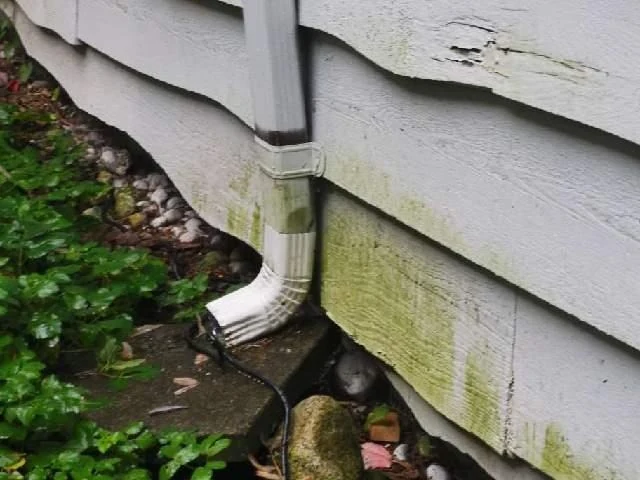
The photo Filed with the finding at the house. It prints at one size, captioned with the condition.
Check it The phone's last step shows the finding as it will print. Export, and this is the page.
The PDF renders on the phone.
Tap Export and the phone lays the PDF out itself, in your layout.


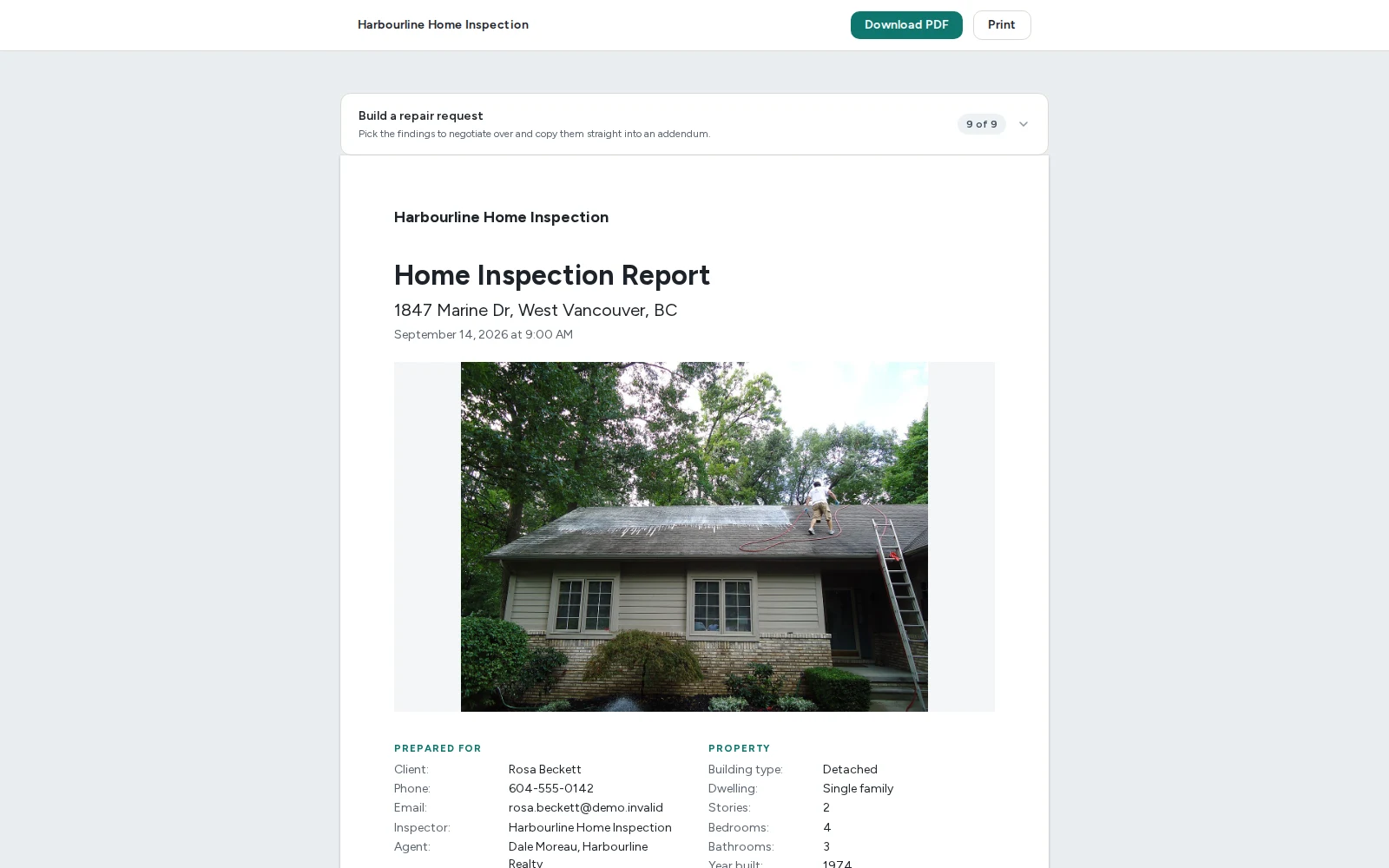

A demo report from a made-up company, laid out by the app's own report engine.
Made on the phone
Android, iPhone or iPad. Tap Export and the PDF is built right there: no upload, no waiting on a server. The office prints the very same pages.
Your logo, your layout
Set up your cover once and pick one of four report styles. The PDF, the client's link and the email all go out under your name, and replies come to you.
What matters, up front
Flag a finding for the summary and it's repeated at the start, photos included, so the client reads the big items first.
And a link for the client
They open the report in a browser, photos and all, and can build a repair request straight from the findings.
The camera
One shutter, three ways to see.
Video, photo or FLIR thermal, behind one shutter: tap the bar or swipe along it.
Swipe the modes or tap one, then press the shutter.
The camera
One shutter, three ways to see.
- PhotoEvery shot files itself into the section you're standing in.
- VideoClips up to a minute, kept with the section like any photo.
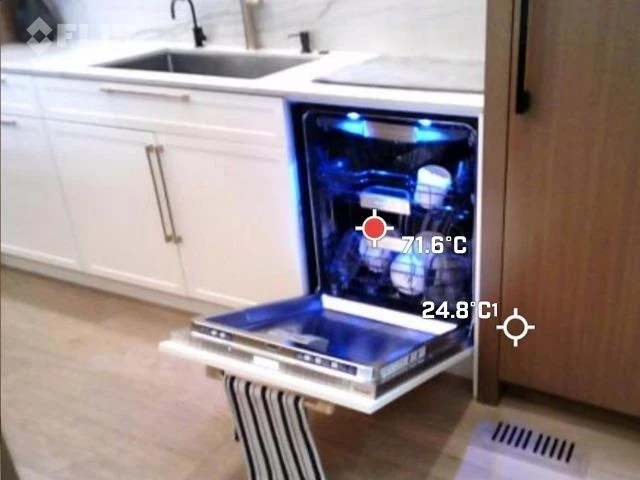
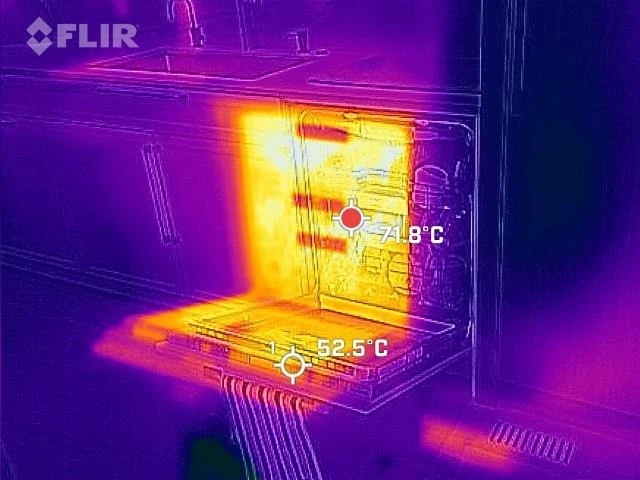
- FLIRConnect a FLIR ONE and the view turns thermal, hottest and coldest points marked.
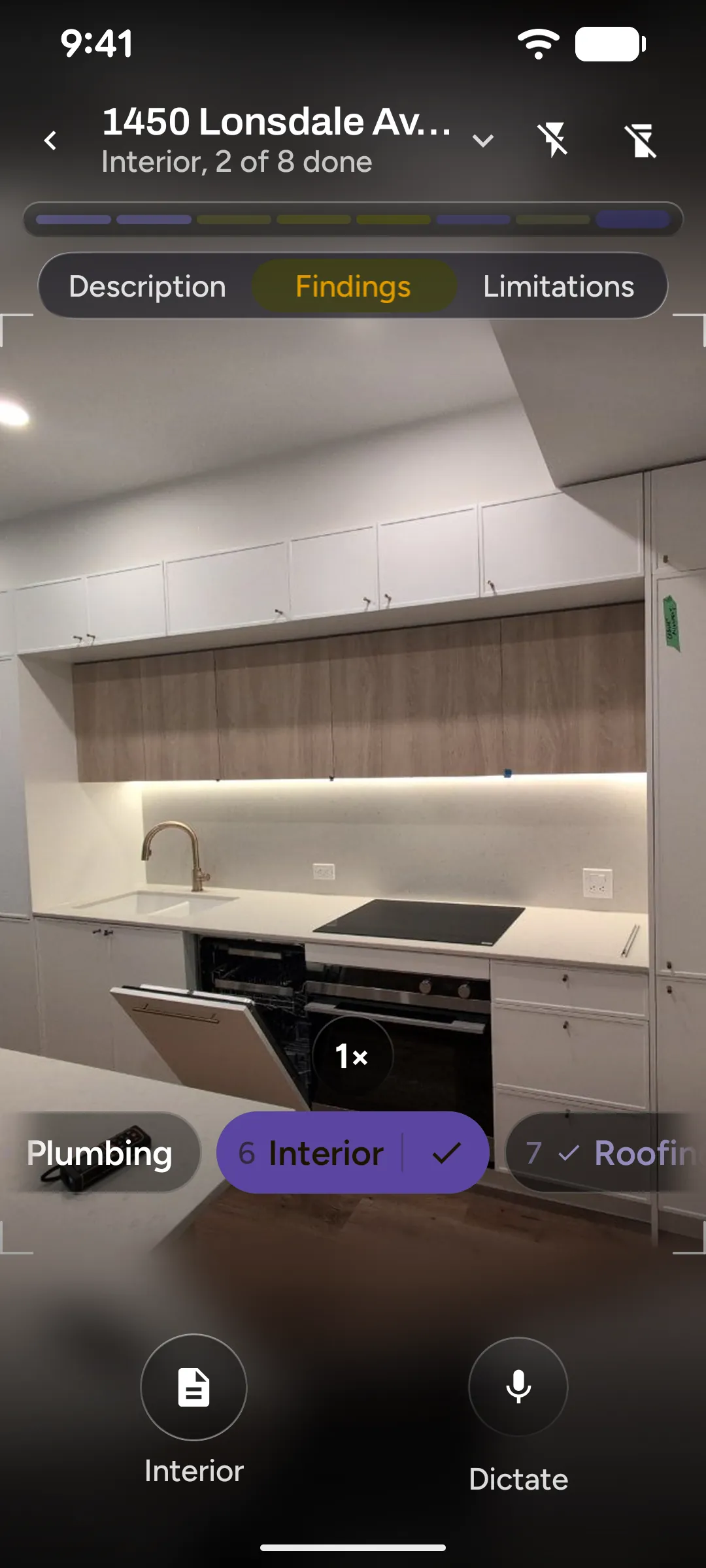
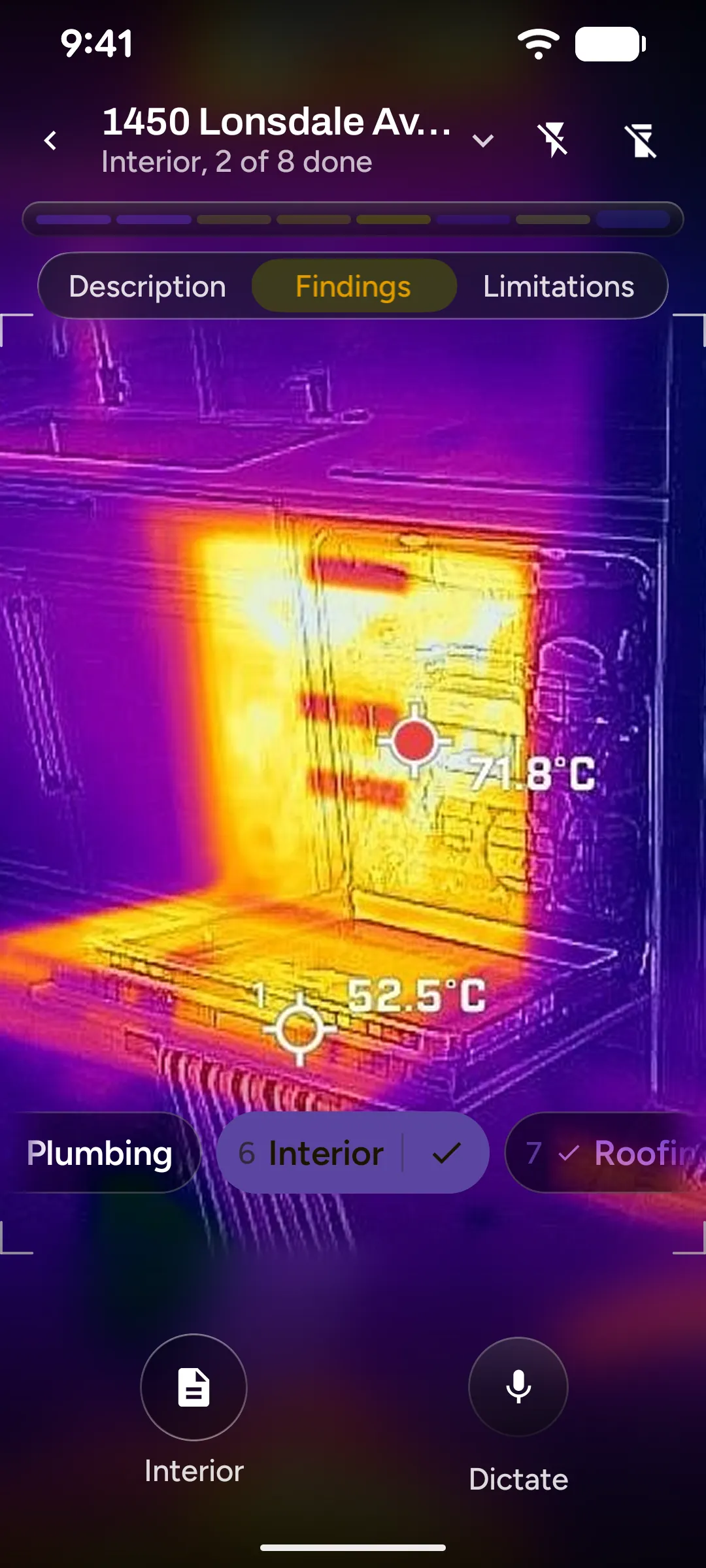
Swipe the modes or tap one, then press the shutter.
Thermal photos, filed in the same finding.
FLIR and FLIR ONE are trademarks of Teledyne FLIR LLC. Vistoria is not affiliated with or endorsed by Teledyne FLIR.
Smart, on the phone
It understands how inspectors actually talk.
Dictation and search run on the phone itself, iPhone or Android. No signal in the basement? Doesn't matter.
- toilet wobblyToilet loose at floorEveryday word
- earthquake straps missingWater heater seismic restraints missingEveryday word
Dictation that works in a crawl space
Talk while you work. It hears you with no signal, and it knows your trade words.
Components from the photo
Take the photo and the likely components come first in the list, the top one marked. It suggests; you decide. It runs on the phone, works offline, and the photo never leaves the phone for it.
Data plates, read for you
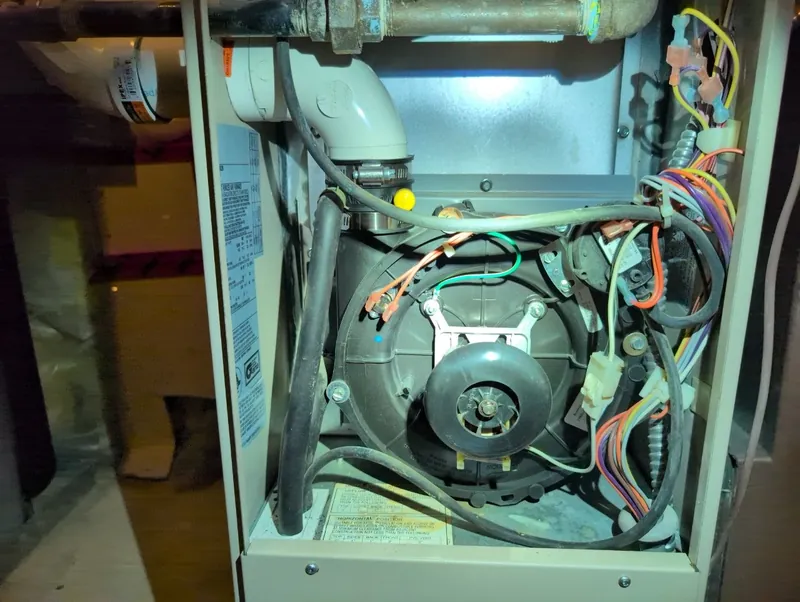
Point it at a furnace or water heater plate. Brand, model, serial, age and size go into the Description, never a guess: if it can’t tell, it says so. On Android and iPhone; with a connection it checks for recalls too.
Report language, tidied
The report tidies punctuation, fixes known misspellings and prints your lists as bullets. Rewording each phrase into report language is optional: in testing, off by default, on newer phones.
Watch the inspection fill in from anywhere.
Open it in any browser, at the desk or on the road, and the whole inspection is there.
In the office about a second after the shutter.
With no signal the photos wait on the phone: three waiting. When the signal is back they sync through the cloud to the office, and nothing is left waiting.
Inspections
Open 4
A demo office with test data. Click around: open an inspection, confirm a request and watch it land on the day.
Booking, the schedule and the rest of the business.
- Online booking
- Your own booking page. Confirm each request, or let it book itself.
- Checked against your day
- Each request marked Fits, Tight or Doesn't fit, the drive included. Drive times are estimates.
- Invoices
- Invoice every inspection from the office, and see what's owed.
- Analytics
- What's invoiced, collected and owed, and how fast reports go out.
- Clients and leads
- Every client and agent, and where each lead came from.
- The team room
- With Teams: your company's chat, right next to the jobs.
- The schedule
- Your day to scale, drive times included. Booked jobs go straight onto Google Calendar.
- Roles
- Five built-in roles, or make your own. Choose what each person can see and do.
Every booking and change, on your phone as it happens.
Requests to confirm, changes and cancellations too. Tap one and you're in the schedule.
- Bookings and requests
- @mentions in the team room
- Tasks
- A reminder before every job
- Quiet hours, 9 pm to 7 am
Built with a working inspection company.
Vistoria is built with Zinc Property Inspection in North Vancouver, and has been on its real inspections since September 2026. The report follows the reports that company delivers: the same section order, the same finding records, and Task and Time pick-lists drawn from its own past reports.
If you inspect for a franchise with a mandated reporting platform, this isn't for you yet. If the report is yours and the evening is the problem, it is.
- You inspect on foot, with a phone already in your hand
- Your report is finding records under category headers
- Your notes today are a voice memo and a camera roll
What keeps your clients’ information safe.
How we protect your dataTwo-step sign-in
Authenticator app or emailed code
Cut off a lost phone
Its data is wiped when it next connects
Screen lock required
The app won’t open without one
Keys in the phone’s vault
Android Keystore or iPhone Keychain
Private client links
Only your team, or your client’s private link
Each office kept apart
No office sees another’s data
Encrypted, backed up nightly
Backups kept encrypted in BC and Ontario
Only the genuine app
Checked with Play Integrity or App Attest
Leave with everything
Export any time; 30 days to undo a deletion
What inspectors ask first.
Short answers, in roughly the order they come up on a first call.
What does it cost?
Vistoria Pro is $85 a month for one inspector, or $75 a month paid for the year ($900). Each inspector beyond those a plan includes is $59 a month ($49 on a yearly plan). Vistoria Teams is $170 a month ($150 yearly) for a firm: everything in Pro with three inspectors included, the team room and lead tracking, and thermal imaging is $20 a month ($15 yearly). For a few jobs a month, Vistoria Starter is $20 a month plus $6 for each report, billed monthly. US dollars, before tax. Sign up and you choose the plan in your office.
How do I get the app today?
On iPhone and iPad, download Vistoria from the App Store and sign in with your office account. On Android, sign up or book a 15-minute call and we send you the app; it comes from your office and updates itself from there. It is coming to Google Play.
Is there an iPhone or iPad version?
Yes. Vistoria runs on Android, iPhone and iPad, phones and tablets alike: the same app on all of them, built from one codebase, with the same office. The iPhone and iPad app is on the App Store; on Android the app updates from the office, and it is coming to Google Play. iPhone and iPad need iOS/iPadOS 17 or later. Live thermal works on iPhone, iPad and Android 13 or newer.
Does it work on a tablet?
Yes. Android tablets and iPad run the same app, laid out for the width. On a tablet it rotates, and Today, Jobs and the walk use the wide screen: dashboards in two columns, the report and its photos side by side. Phones stay in portrait by design. One account works on the phone, the tablet and the office in a browser together, and everything syncs.
Does it work without a signal?
Yes. The camera, photo markup, the finding editor, finding search, dictation and the PDF export all run on the phone; dictation works offline out of the box, and a larger high-accuracy model downloads by itself on Wi-Fi. The only networked part is the sync to your office, and it simply catches up when you have a connection again.
Where does my client data live?
On your phone (a walk works with no signal at all) and in your company's office site, which only your company's accounts can open. Photos are served only to someone signed in, or to the client holding their report's link. The servers are in the United States (Oregon), and encrypted backups are kept in Canada. More under Security, above.
Do I need a FLIR camera?
No. Thermal is a paid add-on. With a FLIR ONE Edge Pro, FLIR ONE Edge, FLIR ONE Pro, Pro LT or Gen 3 connected, on an iPhone, iPad or Android 13+, the viewfinder turns to the live thermal stream and the same shutter captures it, so thermal and regular photos land in the same finding. On an older Android phone, or with another FLIR camera, the photos can be imported from the FLIR ONE app. Without a camera, everything else works exactly the same.
I’m on Horizon. What happens in December?
Horizon shuts down on December 15, 2026. Send us Horizon’s export files and we import them for you, free: your library (condition texts, pick-lists and wording), your clients and agents, your past jobs and your old reports, filed by address. We check what came across with you on a call before your first inspection, and you can run the two side by side until Horizon closes. There is a page on it: usevistoria.com/horizon.
Can I keep using my current reporting software?
Yes, and most inspectors will at first. Vistoria produces a finished PDF in the report structure your clients already recognise. Once you are ready, the booking, the clients, the invoices and the team can move over too, one at a time.
What happens if the app crashes mid-inspection?
Nothing is lost. Everything you've captured is written to the phone's storage as you go, and it's all there when the app reopens.
Not here? Ask us directly and a person who builds it answers.
Vistoria
Stop writing reports at night.
Book a call with one of the people who build Vistoria. We show you the walk and the report on a phone, and answer whatever you ask.
Already have an office? Sign in